◆ Platform · iNOVAA Portal
The software that turns Tracker data into decisions.
The iNOVAA Portal is the workforce efficiency dashboard at the center of the platform — live jobs, team efficiency, schedules, and attendance, fed automatically by the wearable Tracker.
7
Portal Modules
Live
Tracker Sync
Browser
Runs In
 Fed by the iNOVAA TrackerWrist activity → live job data
The Software
Inside the iNOVAA Portal
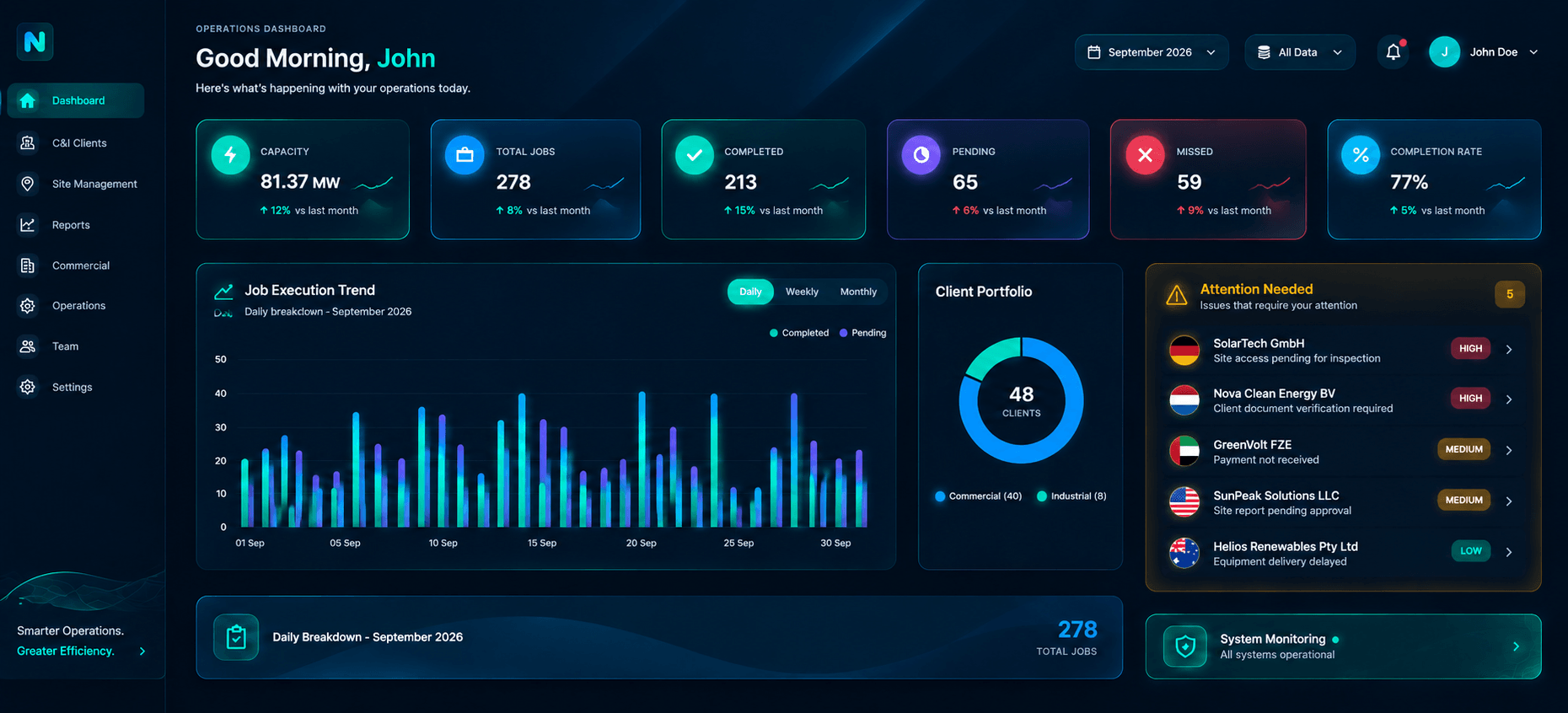
Operations Dashboard
Every job, every status, one screen.
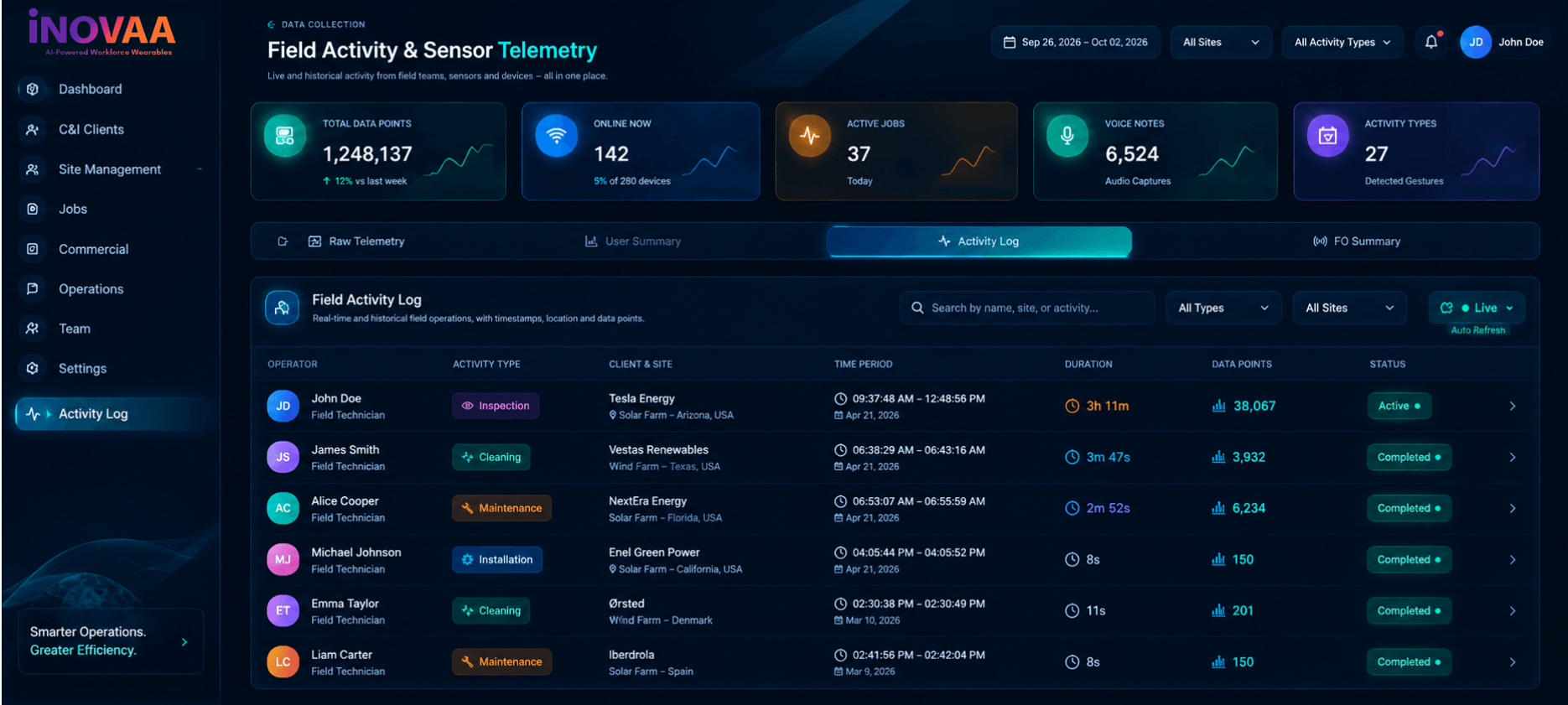
Field Activity Log
Every Tracker reading, live — who, where, and for how long.
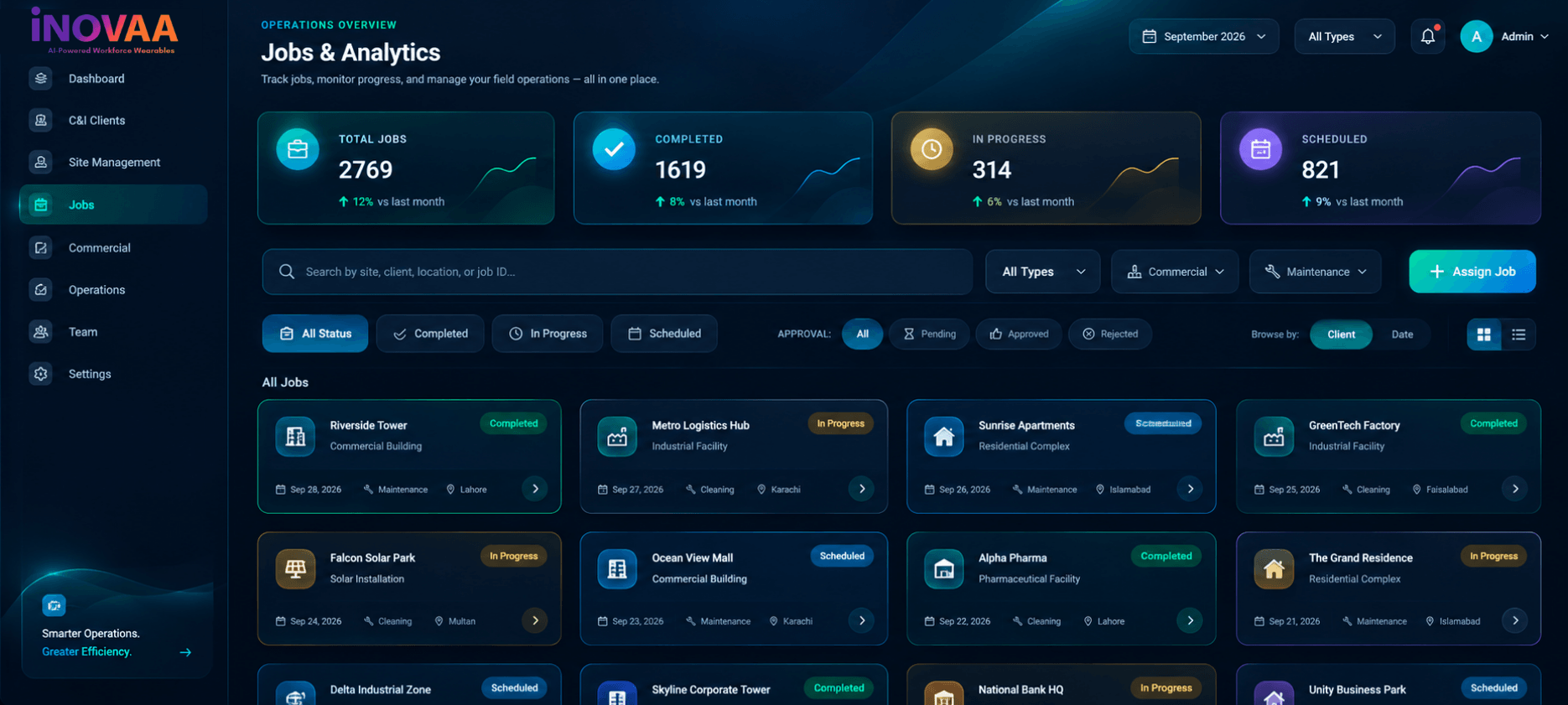
Jobs & Analytics
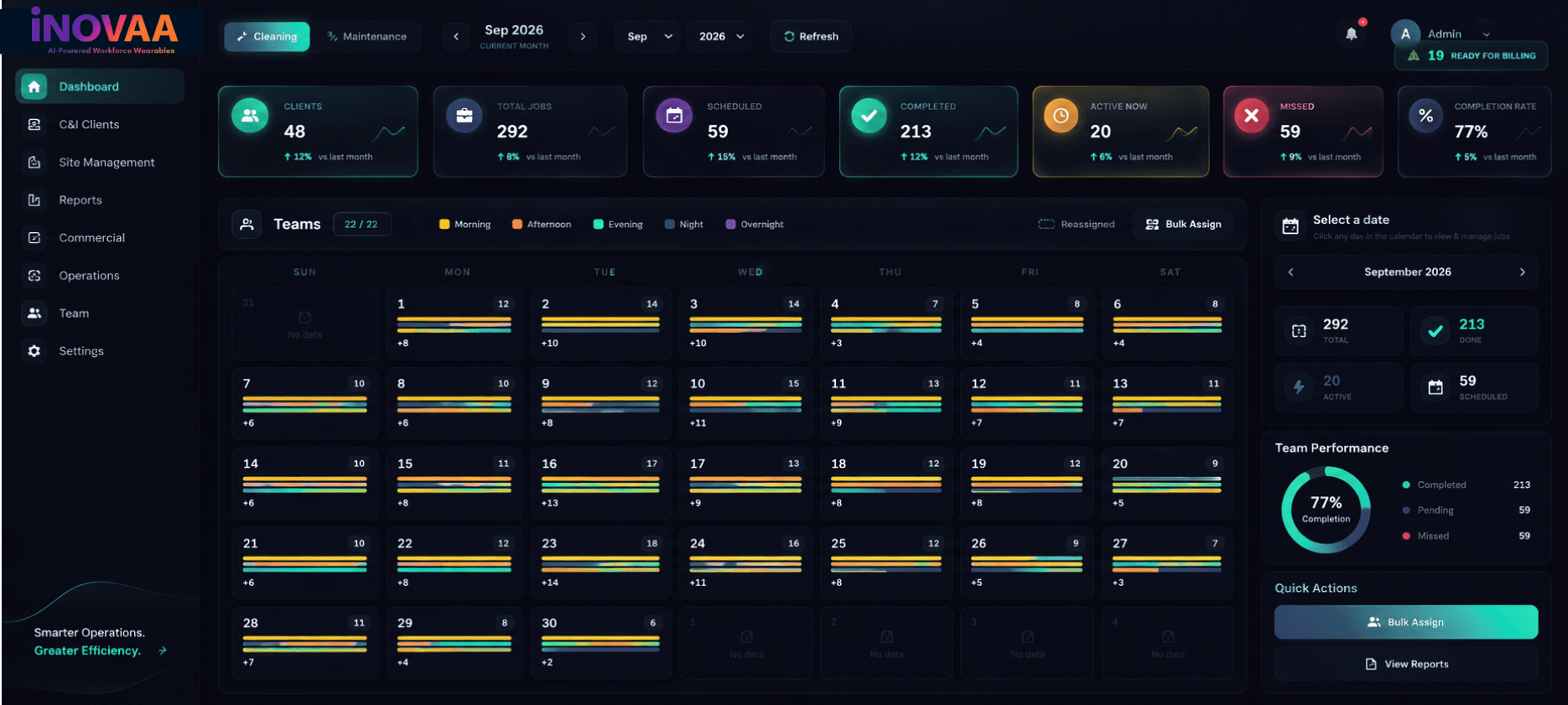
Teams & Performance
Live job status
Completed, pending, and missed — as Tracker data syncs.
Team efficiency
Completion rate per crew, day by day.
Attention needed
Issues ranked before they become missed jobs.
See it in action for your industry
A working Portal, loaded with a real crew's day.
Platform
One Portal at the center, fed by the Tracker
Portal Dashboard
The core of iNOVAA — the software the Tracker's data feeds into. Live job status, team efficiency, schedules, and attendance across every crew and site, solar to landscaping.
ExploreSunridge Solar Array
Owner: M. Ortega
Meridian HVAC Retrofit
Owner: K. Reyes
Route 12 — Last Mile
Owner: T. Nwosu
Canyon Ridge Landscaping
Owner: S. Malik
Palo Verde Hotel Turnover
Owner: D. Whitfield
Built for multi-tenant scale
Every client company gets a portal that feels like theirs
iNOVAA was built from day one to run more than one company on the same platform. Data stays tenant-isolated, branding stays yours, and every role — from owner to customer — sees exactly the slice of the job record they need and nothing else.
Tenant-isolated data
Every client company's data is walled off, even on shared infrastructure.
Role-based portals
Admin, Team, Customer, and Partner each see only what's theirs.
Custom branding
Your logo, your colors, your domain — iNOVAA underneath.
Audit trail on everything
Every read, draft, and approval is timestamped and attached.
Works everywhere
One platform, every field
FAQ
iNOVAA Portal questions, answered
What is the iNOVAA Portal?
What is the iNOVAA Portal?
The iNOVAA Portal is field service management software that combines dispatch, a live field ops dashboard, a customer portal, and multi-tenant branding on one job record, with iNOVAA Tracker data providing automatic proof of work.
How does the iNOVAA Portal get proof of work from the field?
How does the iNOVAA Portal get proof of work from the field?
iNOVAA Tracker events — each with a time, a GPS location, and the technician who triggered it — move jobs through their stages automatically. The Portal adds photos and signed reports, so every job closes with a complete, verifiable trail.
Can we run several client companies on one account?
Can we run several client companies on one account?
Yes. The multi-tenant setup gives each client company isolated data and its own branded portal, and franchise operators can run many locations under one parent account.
Book a call
Ready to see your crews on one live record?
20 minutes, on a job that looks like yours.
Book a call